
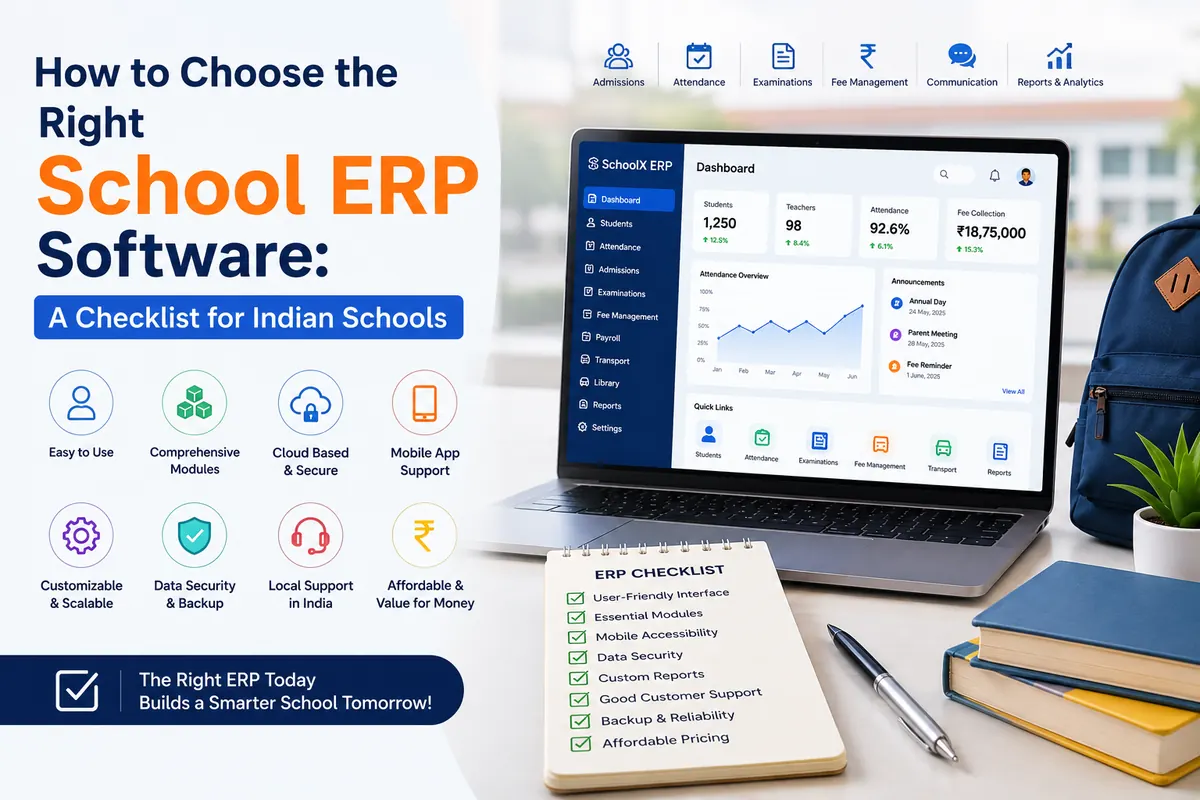
How to Choose the Right School ERP Software: A Checklist for Indian Schools
Key Takeaways & Executive Summary
- Clarify Requirements: List specific needs (e.g., transport tracking, multi-board support) before evaluating vendors.
- Core Modules: Ensure robust handling of admissions, attendance, fees, exams, and communication without relying heavily on third-party add-ons.
- Mobile Experience: Personally test the app's usability for parents, teachers, and admins.
- Real Costs & Support: Look beyond the sticker price to include onboarding and SMS costs, and verify post-sale support quality through existing client references.
Table of Contents
- Why Choosing the Right ERP Matters
- Step 1: List What Your School Actually Needs
- Step 2: Check Core Module Coverage
- Step 3: Test the Mobile Experience Yourself
- Step 4: Ask About Data Security and Backups
- Step 5: Understand the Real Cost
- Step 6: Evaluate the Implementation and Migration Process
- Step 7: Check Post-Sale Support Quality
- Step 8: Confirm Customization and Scalability
- Quick Checklist Summary
- Frequently Asked Questions (FAQs)
Choosing a school ERP is not like buying a normal piece of software. Once a school commits, student records, fee history, attendance data, and daily communication with parents all move onto that one platform. Switching later is expensive and disruptive — which is exactly why so many schools end up stuck with a system that doesn't fit, simply because they didn't ask the right questions before signing up.
This checklist walks through exactly what to evaluate before choosing a school ERP, so you make the decision once and get it right.
Why Choosing the Right ERP Matters More Than It Seems
A school ERP isn't just software — it becomes the operating system for your entire institution. Admissions, attendance, fees, exams, transport, HR, and parent communication all run through it every single day. If the system is clunky, poorly supported, or missing a critical module, that friction doesn't stay contained to one department. It shows up as frustrated teachers re-entering data manually, parents complaining about a broken app, and administrators losing hours to workarounds.
Getting the decision right upfront saves years of that friction. For an overview of the top options available in the market, you can explore our guide on the Top 10 Smart School ERP Software in India.
Step 1: List What Your School Actually Needs
Before comparing vendors, get specific about your own requirements. Not every school needs every module on day one.
- Do you need transport tracking (GPS-enabled buses), or is that irrelevant for a day school with no fleet?
- Do you run a hostel that needs its own management module?
- How many campuses or branches does the ERP need to support?
- Do you need multi-board support (CBSE, ICSE, State Board) with different report card formats?
Write this list down before taking a single vendor demo. It keeps sales conversations focused instead of getting distracted by features you'll never use.
Step 2: Check Core Module Coverage
At minimum, a school ERP should cover these areas well — not just claim to have them, but handle them properly:
- Admissions & Registration — online application forms, document uploads, inquiry tracking
- Attendance Management — for both students and staff, with biometric or app-based options
- Fee & Finance Management — online payments, automated reminders, defaulter reports, accounting integration
- Examinations & Report Cards — configurable grading systems matching your board's format
- Timetable & Substitution Management
- Communication Tools — circulars, SMS/email/app notifications, one-to-one messaging
- HR & Payroll — especially if you want to move staff management onto the same platform
If a vendor is weak in even one of these core areas, ask directly how they plan to fill the gap — some rely on third-party integrations, which adds cost and complexity later. Modern solutions like SchoolX ERP are built to handle all these core modules natively on a single unified platform. (Curious about all possible features? Read our deep dive into the Top 30 Essential Modules of a Modern School ERP System.)
Step 3: Test the Mobile Experience Yourself
Don't take "we have a mobile app" at face value. Ask for a live demo login — for a parent, teacher, and admin account if possible — and actually use it.
Things to check:
- Does the parent app clearly show attendance, homework, and fees without confusing navigation?
- Can teachers mark attendance and upload homework in under a minute?
- Is the app under the school's own branding, or a shared generic app across all the vendor's clients?
A powerful backend means little if the day-to-day mobile experience frustrates parents and teachers. For a benchmark of what a high-quality app looks like, see how SchoolX ERP's dedicated mobile apps provide an intuitive and fast experience for parents, students, and staff alike.
Step 4: Ask About Data Security and Backups
School data includes sensitive student and financial information. Before signing, get clear answers on:
- Where is data hosted, and is it encrypted at rest and in transit?
- How often are backups taken, and how would data be restored in a worst-case scenario?
- Who has access to student data internally at the vendor, and is there a data privacy policy you can review?
- Is the platform compliant with applicable data protection regulations?
If a vendor can't answer these clearly and confidently, treat that as a red flag.
Step 5: Understand the Real Cost — Not Just the Sticker Price
School ERP pricing can look simple upfront and get complicated fast. Ask specifically about:
- Whether pricing is per-student, per-module, or a flat institutional fee
- Setup or onboarding charges separate from the annual subscription
- SMS/notification costs (some vendors charge extra per message sent)
- Cost of adding modules later versus bundling them upfront
- Whether pricing changes as your student count grows
Get a full cost breakdown in writing before comparing vendors on price alone — the cheapest quote upfront isn't always the cheapest option over three years.
Step 6: Evaluate the Implementation and Migration Process
Moving from registers or spreadsheets to an ERP is a real project, not a flip of a switch. Ask:
- Will the vendor help migrate existing student, fee, and attendance records?
- What does the onboarding timeline typically look like — weeks or months?
- Will there be a parallel-run period where both the old and new system work side-by-side while staff adjust?
- Who trains your staff, and is that training included in the cost?
A vendor with a clear, structured migration process is far less likely to leave you with messy, incomplete data six months in.
Step 7: Check Post-Sale Support Quality
Support quality often only becomes visible after the contract is signed — so try to verify it beforehand.
- Is support available by phone, email, or live chat — and during what hours?
- What's the average response time for a technical issue?
- Is there a dedicated point of contact, or a shared support queue?
- Can you speak to an existing client of theirs about their support experience?
That last point is worth pushing for directly. A vendor confident in their support will happily connect you with a current client.
Step 8: Confirm Customization and Scalability
Your school's needs today won't be identical to your needs in three years. Ask whether the ERP can:
- Add new modules without a full system overhaul
- Support additional campuses or branches if you expand
- Customize report card formats, fee structures, or workflows to match your school's specific processes rather than forcing you into a rigid template
Quick Checklist Summary
Before signing with any school ERP vendor, confirm you have clear answers on:
- Which modules you actually need vs which you're being sold
- Core feature coverage across admissions, attendance, fees, exams, and communication
- A hands-on test of the mobile app experience
- Data security, hosting, and backup policies
- Full, itemized pricing — not just the headline number
- A clear migration and onboarding plan
- Verified support quality, ideally from an existing client reference
- Scalability for future growth
Frequently Asked Questions (FAQs)
Implementation timelines vary based on school size and data complexity, but most schools can expect a phased rollout over several weeks, including data migration, staff training, and a parallel-run period before going fully live.
Yes — a good ERP should support configurable report card formats and grading systems to match your board's requirements rather than forcing a one-size-fits-all template.
For most schools, yes — the time saved on fee tracking, attendance, and parent communication typically outweighs the effort of switching, especially as student numbers grow and manual errors become costlier.
Choosing based on price alone without checking module depth, support quality, and data migration support — these three factors have the biggest long-term impact on whether the switch actually saves time.
Looking for a school ERP built specifically for Indian schools? See how SchoolX ERP covers every module on this checklist or book a free demo to see it in action.