
How to Replace Your Existing School ERP: A Complete Guide for Schools
Key Takeaways & Executive Summary
- Diagnose First: Separate "this software is bad" from "we're using this software badly" — they feel identical but have very different fixes.
- Count Hidden Costs: Workarounds, delayed fee collection, staff frustration, and patch tools all add up — staying isn't free.
- Involve the Right People Early: Get buy-in from the principal, accounts team, a few teachers, and your most experienced office staff before you shop.
- Read Your Contract: Check renewal dates, notice periods, data export terms, and termination clauses before telling your vendor anything.
- Time It Right: Start of an academic session is cleanest; avoid results weeks, board registration, and fee deadlines.
Table of Contents
- First: Is the ERP Really the Problem?
- Count the Real Cost of Staying
- Get the Right People Involved Early
- Read Your Current Contract Before You Do Anything Else
- Choosing the Replacement
- Timing the Switch
- Running the Transition
- Mistakes Worth Avoiding
- Where SchoolX Fits
- Frequently Asked Questions (FAQs)
Replacing a school ERP is rarely a single decision. It's usually three decisions in a row, made over several months: whether the current system is really the problem, whether the school is ready to change, and how to do it without wrecking a term.
Most guides skip straight to the third one. This one starts earlier, because plenty of schools replace software that could have been fixed, and plenty of others hang on to software that's quietly costing them far more than a switch would.
If you've already decided and your main worry is moving your records safely, our guide on switching ERPs without losing your data covers that part in detail. This guide is about everything around it.
First: Is the ERP Really the Problem?
Before anything else, separate "this software is bad" from "we're using this software badly." They feel identical from the office, but they have different fixes.
Signs it might be a usage problem, not a software problem:
- Complaints come from one department or a handful of people, not everyone
- Staff were never properly trained, or training happened once, years ago
- Features you're paying for sit unused because nobody knows they exist
- The same issue was reported once and never followed up with the vendor
Signs it's genuinely time to move on:
- The vendor's support is slow or unresponsive even for serious issues
- The system can't do something your school now needs, and the vendor has no plan to add it
- Performance has degraded as your school grew, with slow reports or crashes at peak times
- Updates have effectively stopped
- Renewal pricing keeps climbing without any matching improvement
- Getting your own data out is harder than it should be
If you recognise the second list more than the first, replacement is probably the right call. If it's mostly the first, it's worth an honest conversation with your current vendor and a proper retraining session before you spend months on a switch.
Count the Real Cost of Staying
Schools tend to compare the price of a new ERP against nothing, which makes switching look expensive and staying look free. It isn't free. Try putting rough numbers on the following:
- Hours your office spends each week on workarounds: re-entering data, reconciling fees by hand, chasing reports the system should produce
- Fee collection delayed by clumsy reminders or payment options
- Parent complaints and time spent fielding them
- Staff frustration, which quietly turns into turnover or shadow spreadsheets
- Any extra tools you've bought to patch gaps in the current system
You don't need precision. You need an honest rough total, so the decision is a real comparison rather than a gut reaction to a price quote.
Get the Right People Involved Early
ERP replacements fail more often from people problems than technical ones. A few groups need to be part of the conversation before you shop:
- The principal or director, who needs to back the decision and the disruption that comes with it.
- The accounts team, because fees and finance are where mistakes are most expensive and where they'll be most nervous.
- A few teachers, not only administrators. Teachers do daily marks entry and attendance, and if the new system is clunky for them it won't stick.
- Whoever knows the current system best, often a long-serving office staff member. They know its quirks, what's been customised, and what might not transfer cleanly. Don't leave them out because they're not senior.
Hearing early from the people who'll use it daily saves you from choosing something that looks good in a demo and frustrates everyone in October.
Read Your Current Contract Before You Do Anything Else
Before you tell your vendor you're considering a change, find your agreement and look for:
- The renewal date and notice period. Missing a notice window can lock you in for another full term.
- Data ownership and export terms. What are you entitled to take, in what format, and is there a charge?
- Termination clauses. Is there a penalty for leaving early?
- Anything about transition support. Some vendors offer it, many don't.
If the contract is vague about data export, ask for written clarification now, not after you've committed to a new vendor.
Choosing the Replacement
The usual selection advice applies (our guide to choosing a school ERP covers it), but replacement adds a few extra tests, since you now know what hurts.
Write down the specific things the old system did badly, and make each one a demo requirement. If reports were slow, ask to see reports run on a realistic volume of data. If support was the problem, ask what response times look like and how they handle urgent issues. If a feature was missing, make the vendor show it working.
Also ask directly about incoming migrations: has their team moved schools off systems like yours before, and what does that process involve? A vendor with real experience will give you specifics. One without will tell you it's easy.
Timing the Switch
There's no perfect moment, but some are better than others.
- Start of an academic session is the cleanest option: fresh admissions, a new attendance cycle, no half-finished term to reconcile.
- Between terms works if you can't wait for a new session, because you avoid cutting over mid-exam.
- Avoid results weeks, board registration periods and fee deadlines, unless you have no choice.
Whatever you choose, work backwards from your current contract's end date, and leave enough overlap that you're never without a working system.
Running the Transition
Once you've chosen, the practical shape is fairly consistent:
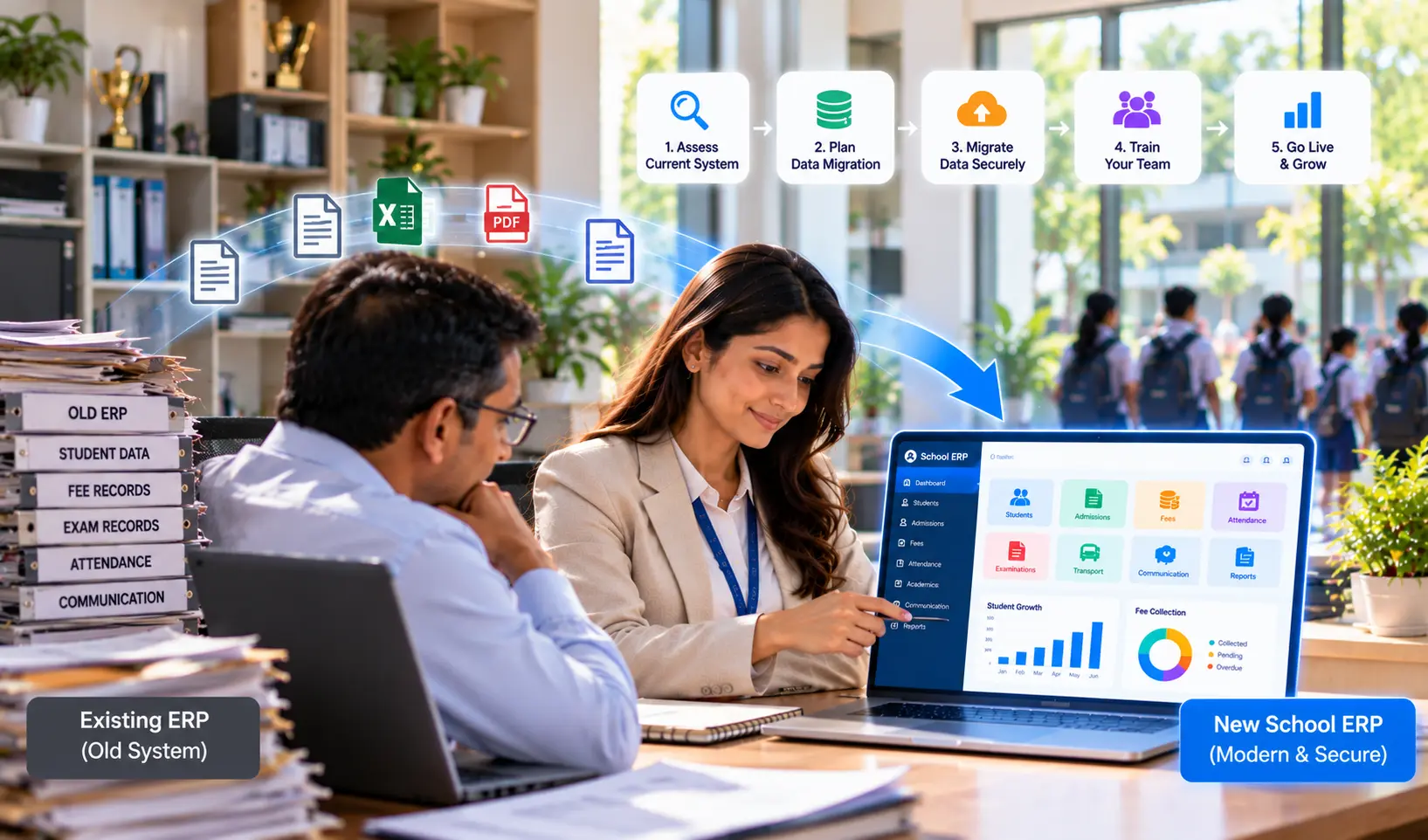
- Plan and audit. List what data you have and what needs to move.
- Migrate and configure. Transfer records and set up your fee structures, academic calendar and report formats.
- Train by role. Teachers, accounts and admin staff each need to learn their own part.
- Run in parallel. Keep the old system reachable for a few weeks while the new one handles daily work.
- Verify, then let go. Spot-check records and reconcile fee history before you cancel the old system.
The detail behind steps two, four and five, including what to do if your old vendor makes exports difficult, is in our data migration guide.
Mistakes Worth Avoiding
- Deciding on price alone and discovering later what was left out
- Cutting over everyone on the same day with no fallback
- Training staff once and assuming that's enough
- Cancelling the old system the moment the new one goes live
- Not asking the new vendor who'll actually be at your school during setup
Where SchoolX Fits
If you're replacing an existing system, SchoolX handles this as a normal onboarding scenario: we help map data out of your current ERP, clean up inconsistencies, configure your fee structures and report cards, and train staff by role. Our implementation team visits your campus for setup and training rather than only working remotely. More detail is on our implementation support page.
Ready to Replace Your ERP?
The full platform is on the School ERP Software page. If you'd like to see how your specific situation would be handled, you can book a free demo. And if your school doesn't have a website, schools that subscribe also get a free basic one, as described on our website designing page.
Our team handles the entire data transition — from mapping your old system's data to configuring your new setup and training staff on campus. You focus on running your school.
Frequently Asked Questions (FAQs)
If problems are concentrated in a few people or tied to missing training, fix those first. If the vendor is unresponsive, the system can't meet needs it should, performance has degraded, or updates have stopped, replacement is usually justified.
It depends on the size of your school and how cooperative your current vendor is about data export, but a phased replacement over roughly one to two months, including a parallel run, is common.
Not if the move is planned properly. Data loss usually comes from skipping the audit, not checking export options early, or cutting over without a parallel period.
They can make it inconvenient, but your contract should define notice periods and data export terms. Read it before you start, and put any export requests in writing.
The start of an academic session is usually the cleanest. Between terms is a reasonable alternative. Avoid results weeks, board registration and fee deadlines.