
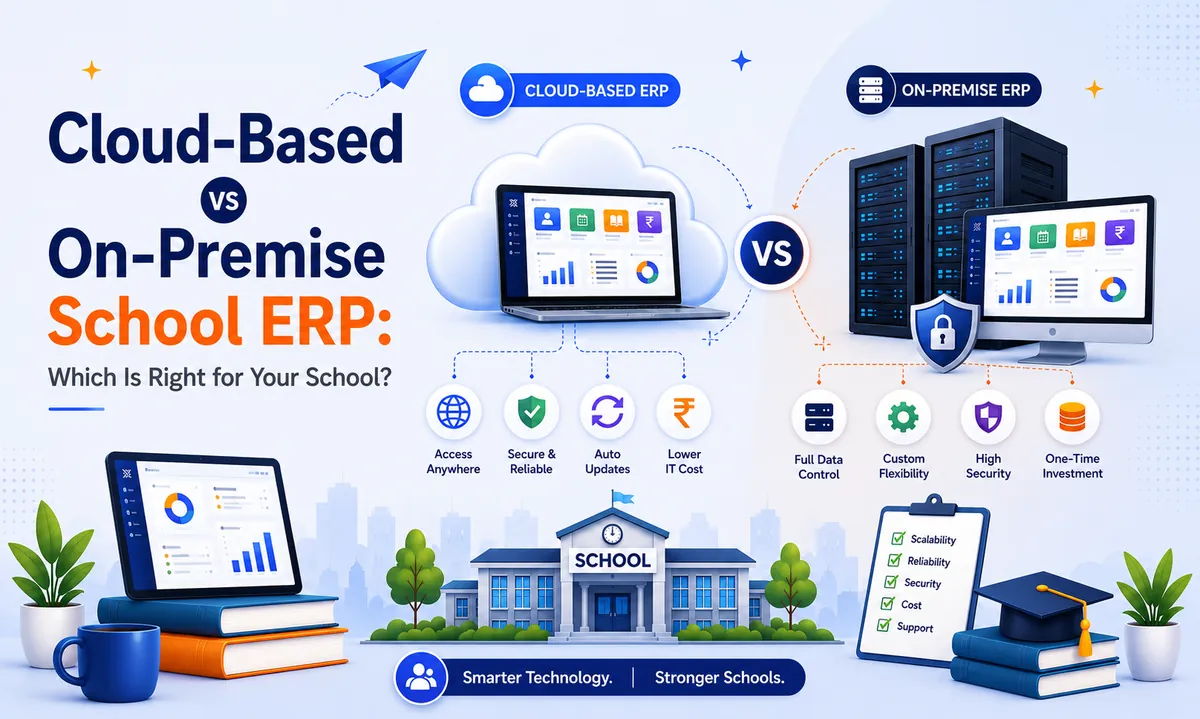
Cloud-Based vs On-Premise School ERP: Which Is Right for Your School?
Key Takeaways & Executive Summary
- Cloud-based school ERP (SaaS) runs on vendor-hosted servers — no hardware purchase, no in-house IT team needed. Access from any device, anywhere.
- On-premise school ERP runs on physical servers inside your school — you manage hardware, updates, backups, and security entirely yourself.
- Total cost of ownership is typically lower for cloud over a 5-year period, even though on-premise may look cheaper on a single upfront invoice.
- Data security is generally stronger with reputable cloud vendors who invest in enterprise-grade encryption, audits, and redundant backups at a level most individual schools cannot match.
- For most Indian schools, cloud-based deployment is the more practical, affordable, and future-proof starting point.
Table of Contents
- What Does "Cloud-Based" Actually Mean?
- What Does "On-Premise" Mean?
- Cloud-Based vs On-Premise: Direct Comparison
- Why Most Schools Are Choosing Cloud-Based Software
- Is On-Premise School ERP Ever the Right Choice?
- Addressing the Biggest Concern: Is Cloud ERP Data Secure?
- How SchoolX's Cloud-Based Architecture Works
- Frequently Asked Questions (FAQs)
If you're comparing school ERP systems, you've probably noticed that almost every vendor now describes their product as "cloud-based." It's become such a standard selling point that it's easy to nod along without really knowing what it means — or why it matters more than you might think when you're the one signing a multi-year contract.
The honest answer is that the choice between a cloud-based school ERP and an on-premise (or "on-prem") system isn't just a technical detail. It affects your upfront cost, who's responsible when something breaks, how secure your student data actually is, and whether your system can grow with your school without a painful migration a few years down the line.
This guide breaks down exactly what the difference is, when each option genuinely makes sense, and what questions to ask before you commit either way. (If you're still early in the selection process and haven't narrowed down your requirements, our step-by-step ERP selection checklist is a useful companion read.)
What Does "Cloud-Based" Actually Mean?
A cloud-based school ERP (also called SaaS school management software, short for Software-as-a-Service) runs on servers hosted and maintained by the vendor — not on a computer physically sitting in your school office. Your staff, teachers, and parents access it through a web browser or mobile app, over the internet, from anywhere.
You don't buy or maintain any hardware. You don't manage server updates. You don't need an IT person on-site to keep the system running. The vendor handles all of that on their end, and you simply log in and use the software — much like how a school might use Gmail or Google Drive, rather than running its own email server.
What Does "On-Premise" Mean?
An on-premise school ERP, by contrast, runs on physical servers located inside your school — usually in a server room or office. Your IT staff (or a hired vendor) installs the software, maintains the hardware, applies updates manually, and is responsible for backups and security patches.
Access is often limited to your school's local network unless additional infrastructure (like a VPN) is set up to allow remote access. This was the standard model for most software fifteen-plus years ago, before cloud infrastructure became affordable and reliable enough for smaller institutions to use.
Cloud-Based vs On-Premise: Direct Comparison
| Factor | Cloud-Based School ERP | On-Premise School ERP |
|---|---|---|
| Upfront cost | Low — typically a subscription fee, no hardware purchase | High — requires server hardware and installation |
| Ongoing maintenance | Handled by the vendor | Handled by your own IT staff or a hired vendor |
| Accessibility | Available from any device, anywhere with internet | Usually limited to school network unless VPN is configured |
| Updates | Automatic, rolled out by the vendor | Manual, scheduled and applied by your IT team |
| Data backups | Automatic, usually redundant across multiple locations | Manual, dependent on your team's discipline and infrastructure |
| Scalability | Scales easily as your student count grows | May require additional hardware investment to scale |
| Security responsibility | Shared — vendor secures infrastructure, you manage access | Entirely your responsibility |
| Disaster recovery | Built-in, data isn't tied to one physical location | Vulnerable to local incidents (fire, theft, hardware failure) unless separately arranged |
| IT staff required | Minimal to none | Dedicated IT support generally needed |
Why Most Schools Are Choosing Cloud-Based School Management Software
The shift toward cloud school ERP software isn't just a trend — it reflects a few concrete, practical advantages that matter more as schools grow and as parents expect faster, more mobile-friendly communication.
Lower Total Cost of Ownership
Without needing to buy servers, hire dedicated IT staff, or budget for hardware replacement every few years, cloud-based systems are typically far more affordable over a 5-year period, even though on-premise systems can sometimes look cheaper on a single upfront invoice. When you factor in the real costs of fee management, HR and payroll processing, and day-to-day administration, having all these modules maintained and updated automatically by the vendor eliminates a significant hidden expense.
Access from Anywhere, Not Just the Office
A cloud-based system means a principal can check attendance from home, a teacher can update grades from a personal device, and a parent can check fee status from their phone — all without needing to be connected to the school's local network. For an on-premise system, this kind of remote access usually requires extra setup and ongoing IT maintenance. Cloud-powered school mobile apps make this seamless for every user role.
Automatic Updates and New Features
Cloud vendors continuously improve their platforms, and those improvements reach every customer automatically. With an on-premise system, upgrading to a new version is often a manual, disruptive process that some schools simply never get around to doing — leaving them stuck on outdated software.
Built-in Disaster Recovery
If your school experiences a fire, flood, theft, or hardware failure, an on-premise system risks losing everything stored locally unless a separate backup strategy was already in place. Cloud-based systems store data redundantly across multiple secure locations by default, so a physical incident at your campus doesn't put your student records at risk.
Easier Scaling
As your school grows from 500 to 2,000 students, a cloud system simply scales — there's no need to buy additional servers or worry about your existing hardware running out of capacity. This is especially important as you bring on more ERP modules over time, from admissions and academics to RFID-based attendance and school website management.
Is On-Premise School ERP Ever the Right Choice?
To be fair, there are a small number of scenarios where on-premise still makes sense:
- Extremely strict data residency requirements that mandate data never leave a specific physical location (rare for most Indian schools, but relevant for some government or defence-affiliated institutions)
- Existing heavy investment in server infrastructure that a school wants to fully utilise before switching models
- Very limited or unreliable internet connectivity, in genuinely remote locations where consistent internet access itself is the bigger challenge
For the vast majority of schools — especially anything in a city, town, or reasonably connected area — these scenarios don't apply, and cloud-based software ends up being both cheaper and more reliable in practice. If you're unsure where your school falls, the comparison questions in our school ERP selection checklist can help you evaluate objectively.
Addressing the Biggest Concern: Is Cloud School ERP Data Secure?
This is, understandably, the question schools ask most often. Handing over student data to a third-party server can feel less secure than keeping it "in-house" — but in most cases, the opposite is actually true.
Reputable cloud-based school ERP providers invest in security infrastructure — encryption, access controls, regular security audits, and redundant backups — at a level that would be prohibitively expensive for an individual school to replicate on its own on-premise server.
A single school's IT budget rarely matches what a dedicated software vendor invests in securing infrastructure used by hundreds of client institutions.
That said, not all cloud vendors are equal. Before choosing one, you should specifically ask:
- Is data encrypted both in transit and at rest?
- Where is data physically hosted, and does that comply with applicable data protection regulations?
- How often are backups taken, and how would data be restored in a worst-case scenario?
- Who at the vendor has access to your school's data, and is there a clear data privacy policy?
- Is the platform compliant with India's Digital Personal Data Protection Act (DPDP Act) requirements, particularly given that school data includes information about minors?
A vendor that answers these clearly and confidently is a strong sign you're dealing with a serious, security-conscious provider — not just marketing language. For a broader look at how to vet vendors across all criteria — not just security — take a look at our complete school ERP selection guide.
How SchoolX's Cloud-Based Architecture Works
SchoolX ERP is built entirely as a cloud-based, SaaS school management platform — there's no server hardware for your school to buy, install, or maintain. Schools access the system through a web browser or the SchoolX mobile app, with role-based access ensuring teachers, parents, administrators, and staff each see exactly what's relevant to them.
Behind the scenes, SchoolX handles security, backups, and updates centrally — meaning your school benefits from ongoing platform improvements automatically, without needing an in-house IT team to manage version upgrades or patch servers. Whether you're managing fee collection, tracking admissions, running exam and report card workflows, or sending parent notifications, everything operates on one unified cloud platform.
If your school currently relies on hardware you're responsible for maintaining, or if you're migrating from Excel and manual registers to your very first ERP system, cloud-based deployment is one of the clearest reasons to start with a system like SchoolX — and understanding how it eliminates fee collection delays is a practical example of the kind of efficiency gains cloud software delivers.
To see how this works for your school specifically, explore our School ERP Software page, or book a free demo to walk through the cloud platform directly. You can also compare SchoolX against the wider market in our Top 10 Smart School ERP Software in India guide or check out the Top 10 Best School ERP Apps for Android & iOS.
Why Schools Trust SchoolX's Cloud Platform
- 100% Cloud-Native: SchoolX ERP is built from the ground up as a cloud-first SaaS platform — no server hardware, no IT overhead, no version lock-in. Your school gets automatic updates, enterprise-grade security, and redundant backups without lifting a finger.
- All Modules, One Platform: From admissions and fee management to academics, HR & payroll, parent communication, and RFID attendance — everything runs on one unified cloud system. No third-party bolt-ons, no integration headaches.
- Mobile-First Experience: Dedicated mobile apps for parents, teachers, and admins — branded for your school, not a shared generic app. Attendance, fees, homework, and circulars are all a tap away.
- Designed for Indian Schools: Multi-board support (CBSE, ICSE, State), vernacular language options, custom school website integration, and compliance with India's DPDP Act — built for how Indian schools actually operate.
- Hassle-Free Migration: Already on spreadsheets or another ERP? Our team handles the entire data migration — audit, cleanup, import, and parallel testing — so your school doesn't miss a day.
→ Explore the full SchoolX ERP platform | Book a free demo | See our technical architecture
Frequently Asked Questions (FAQs)
Generally no — while on-premise systems may look cheaper on the initial invoice, ongoing hardware maintenance, IT staffing, and eventual server replacement costs typically make cloud-based subscriptions more affordable over a multi-year period.
Cloud systems require an internet connection to access most features, though some platforms offer limited offline functionality that syncs once connectivity is restored. For schools in areas with genuinely unreliable internet, this is worth discussing directly with a vendor before choosing a cloud-based system.
For most schools, cloud-based systems from reputable vendors offer stronger security than a self-managed on-premise server, simply because dedicated software vendors invest more heavily in security infrastructure than an individual school typically can on its own.
Yes, and many schools do exactly this as they outgrow on-premise infrastructure. The process involves migrating existing data to the new cloud platform, similar to migrating from spreadsheets — planning and a proper data audit make the switch far smoother.
Not necessarily — this depends entirely on the specific vendor. Always confirm where a cloud school ERP provider physically hosts data, especially given data protection regulations that may apply to student information.
Looking for a cloud-based school ERP built specifically for Indian schools? See how SchoolX ERP works or book a free demo to see it in action.