
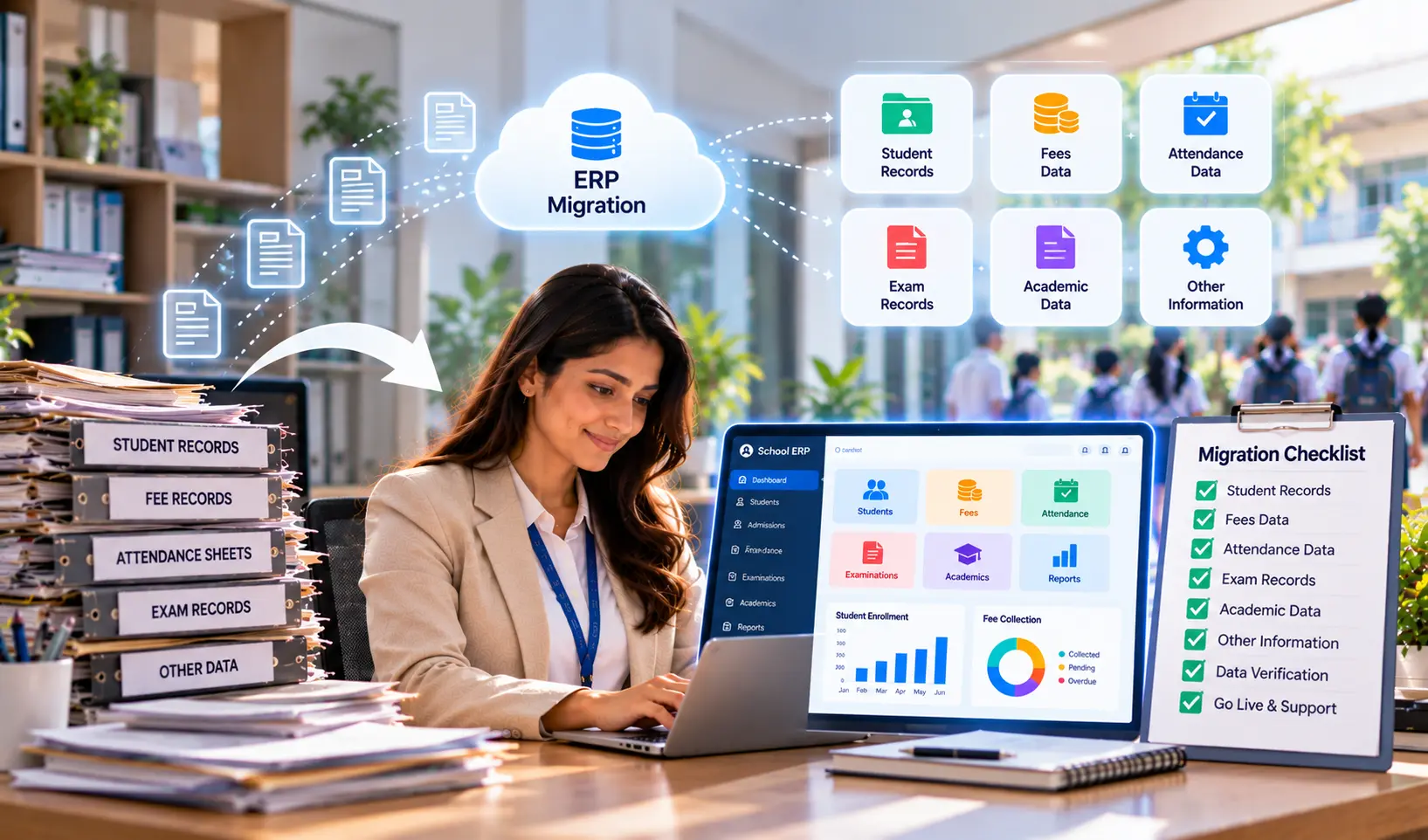
School ERP Migration Checklist: Data, Fees, Attendance, Exams & Student Records
Key Takeaways & Executive Summary
- Verify by Numbers, Not Guesswork: Don't just ask if data moved over—reconcile concrete numbers: student counts per section, total fee dues, and decimal-level attendance percentages between old and new systems.
- Student Records Anchor Everything: Every fee installment, exam result, and SMS alert depends on unique student admission numbers. Clean and verify master student profiles first.
- Fee Opening Balances Are High-Risk: Any discrepancy in carryover dues or sibling concessions creates awkward parent friction. Audit class-wise fee ledgers before cutting over.
- Trial Import & Departmental Sign-Off: Always perform a sandbox test migration and require written verification from office, accounts, and academic coordinators before retiring old software.
Table of Contents
- Before You Check Anything: Three Ground Rules
- 1. Student Records Migration Checklist
- 2. Fee Data & Accounting Verification
- 3. Attendance History & Biometric Mapping
- 4. Exams, Marks, & Result Structures
- 5. Documents & Printable Templates
- 6. Also Worth a Look: Staff, Transport & Roles
- The Practical Data Reconciliation Table
- Departmental Verification & Sign-Off
- How SchoolX Handles Data Migration Seamlessly
- Frequently Asked Questions (FAQs)
Ask a school administrator what could go wrong in an ERP migration and the answer is almost always the same: "we might lose something." What they usually can't say is what they'd be checking to know whether they had.
That's the gap this checklist fills. It goes data type by data type (student records, fees, attendance, exams) and lists what to verify at each stage, so that on go-live day you're comparing real numbers instead of hoping.
It works whether you're moving off spreadsheets or migrating from another school ERP. For the broader strategic process around migration (evaluating vendor contracts, integrations, parent communication, and rollback plans), see our pre-migration checks guide. For the full end-to-end switching story, see our guide on how to switch ERPs without losing your data.
Before You Check Anything: Three Ground Rules
1. Migrate what you need, not everything you have. Old fields nobody uses, duplicate exports, and abandoned test records don't deserve a place in the new system. This is also sensible for data protection: student data belongs to children, so move only what's needed, and keep access strictly limited to the right roles.
2. Test on a copy first. Ask for a trial import into a sandbox/test environment, inspect it thoroughly, fix mapping discrepancies, and only then proceed with the live cut-over.
3. Pick one person to own the checklist. Not a committee. You need an empowered project owner who can authoritatively say, "this section is signed off."
1. Student Records
Student records are the backbone of any school's digital operations. Everything else—fee collections, daily attendance, exam marksheets, and report cards—hangs off them. If errors creep in here, they cascade across every single module.
Check Before Migration:
- Every student has a unique ID or admission number, and no two students share one.
- Duplicates are removed (look especially at students re-admitted or transferred between sections).
- Names are spelled consistently, with a single uniform format for surname and first name.
- Dates of birth are complete and formatted in a standardized date schema (e.g. DD/MM/YYYY).
- Class and section designations are uniform ("5A" and "5-A" shouldn't coexist).
- Guardian names and mobile numbers are present, verified, and in a clean 10-digit format for SMS/WhatsApp notifications.
- Siblings are linked properly, particularly if fee rules provide sibling concessions.
- Documents, certificates, and student photos: decide what's moving and where digital files will be stored.
Check After Migration:
- Total student headcount matches the legacy database exactly, broken down by class and section.
- A spot-check sample of 20 to 30 randomly selected student profiles matches the old records field-by-field.
- Parent phone numbers receive a test automated notification (SMS, push alert, or WhatsApp).
2. Fees
Fee data is where an error costs real money and triggers awkward, trust-eroding conversations with parents. Give fee reconciliation extra diligence and uninterrupted time.
Check Before Migration:
- Fee heads (tuition, transport, lab, activity, etc.) are cataloged, and each has an exact counterpart in the new system.
- Fee structures by class, including category concessions, merit scholarships, sibling discounts, and staff-child rules.
- Installment schedules, billing cycles, and cut-off due dates.
- Opening balances: the exact outstanding arrears or advance credit each student holds on the cut-over date.
- Fee receipt history and numbering sequences, so receipt numbers continue sequentially without clashes.
- Fine and late-fee calculation logic, refund workflows, and ledger adjustments.
- Payment gateway credentials, merchant accounts, and bank ledger mappings.
Check After Migration:
- Total fee collections recorded for the current financial year match your official audit balance sheet.
- Total outstanding dues match the legacy system down to the rupee, both overall and per class.
- A random sample of student fee ledgers matches line-by-line, including discounts and concessions.
- A live test payment is processed, confirming the payment gateway responds and the receipt generates accurately.
3. Attendance
Attendance history is voluminous and deceptively tricky. Subtle discrepancies in status codes, working day definitions, or term calendars can silently distort students' annual attendance percentages and CBSE eligibility thresholds.
Check Before Migration:
- Determine how much history you actually need. Most schools bring over the current academic session in full and safely archive prior years.
- Attendance status codes: define what Present, Absent, Medical Leave, Half-Day, and Official Holiday mean in each system, and map them 1:1.
- The academic working calendar: total working days, gazetted holidays, vacation slots, and term dates.
- Staff attendance and leave balances, if faculty records are transitioning at the same time.
- Biometric or RFID device mappings, ensuring hardware card IDs or biometric templates map accurately to student and staff IDs.
Check After Migration:
- Cumulative attendance percentages for a benchmark cohort of students match the old records to the decimal.
- Monthly summary totals for a randomly selected past month correlate perfectly.
- Today's live attendance can be marked by teachers via the mobile app or web portal and syncs immediately.
4. Exams and Results
Examination and marksheet data is intricate because it is as much about academic hierarchy and assessment formulas as it is about raw marks.
Check Before Migration:
- Terms and assessment structures: periodic tests, unit tests, internal assessments, finals, and their respective weightage.
- Subject configurations per class, including mandatory subjects, electives, second languages, and non-credit courses.
- Grading scheme definitions: score ranges, letter grades, and grade point calculations.
- Historical marks and transcripts that your institution is required or wishes to retain for student lookups.
- Co-scholastic skill rubrics, work education, discipline grades, and teacher remarks.
- Promotion criteria and pass/fail/compartment rules.
- Report card layout specifications, aligning with your board's mandates (CBSE, ICSE, State Board, or IB).
Check After Migration:
- Marks entered for a sample cross-section of students match past records without rounding errors.
- Calculated totals, cumulative percentages, and automated letter grades match the legacy calculation.
- A freshly generated sample report card is printed or exported and compared side-by-side with the old format.
5. Documents and Templates
Official documents aren't "raw data" in the strict mathematical sense, but they are the primary tangible deliverables your school presents to the outside world: report cards, fee receipts, Transfer Certificates (TC), student ID cards, character certificates, and bonafide letters.
Ensure every template is rebuilt, customized with your school seal and letterhead, and populated with real test records. Minor layout glitches or misaligned signature boxes are trivial to fix during testing—but embarrassing and stressful once handed to parents.
6. Also Worth a Look: Staff, Transport & Roles
While student records and fees demand immediate scrutiny, other foundational operational modules deserve deliberate inspection during the migration window:
- Staff Records & Payroll: Employee profiles, qualification records, biometric attendance IDs, salary structures, PF/ESI allowances, and accumulated leave balances.
- Transport Management: Bus routes, pick-up/drop-off stops, vehicle registration details, driver contacts, and student route-fare allocations.
- Users, Permissions & Roles: Administrative privilege matrix—confirming who has access to view, edit, approve, or export sensitive information across accounts, front office, and teaching staff.
The Practical Data Reconciliation Table
The most reliable way to conduct post-migration verification is a structured reconciliation table. Compare macroscopic aggregate totals first, then drill down into granular profile samples:
| Data Category | What to Compare | Pass Example |
|---|---|---|
| Student Records | Total student headcount broken down by class, section, and gender | Class 8-B: 42 students in legacy system = 42 in new ERP |
| Fee Totals | Aggregate fees collected year-to-date and total outstanding dues | Both match school accounting ledger balances to the rupee |
| Fee Ledgers | Individual transaction statements and concession structures | 10 randomly selected student ledgers reconcile line-by-line |
| Attendance | Cumulative attendance percentages and monthly aggregate counts | Sample cohort percentages match to the exact decimal point |
| Exams & Marks | Raw marks, weighted assessments, totals, and final grades | 10 report cards match historic term marksheets perfectly |
| Documents | Visual layout, fields, school crest, and signature placement | Fee receipt, report card, and TC templates fully approved |
Golden Rule of Data Migration: If a total doesn't match between the old and new systems, resist the temptation to "round it away" or average out minor discrepancies. Take the time to discover why. Small numerical variances almost always point to underlying mapping errors that will cause painful headaches months later during tax filing or report card generation.
Departmental Verification & Sign-Off
Before formally retiring your old software or turning off legacy database backups, require each departmental owner to sign off on their respective module in writing:
- Front Office / Admissions: Signs off on student counts, guardian contact databases, and section rosters.
- Accounts & Finance: Signs off on fee heads, opening balances, payment gateway setups, and total fee dues.
- Exam Coordinator: Signs off on marksheet archives, assessment weightage rules, and report card designs.
- Principal / Director: Reviews the reconciliation summary and gives formal authorization for final cut-over.
While formal sign-offs may feel bureaucratic, they effectively eliminate the dreaded "I assumed someone else checked that" dilemma after go-live day.
How SchoolX Handles Data Migration Seamlessly
When schools choose to partner with SchoolX, data migration is never treated as an afterthought or handed off as a self-service DIY spreadsheet import. Our dedicated engineering and deployment team manages the entire transition with a hands-on, white-glove approach:
We assist in extracting data from your existing software or legacy spreadsheets, sanitize and clean inconsistencies, restructure fields to modern standards, and configure complex fee structures, board-compliant report cards, and role permissions. Furthermore, we run your operations in a secure parallel testing environment before your old vendor contract terminates, giving your administration absolute confidence in every single number.
Our specialists provide role-based training for your teachers, office clerks, and accountants, and visit your campus in person for final setup and onboarding. Learn more about our comprehensive onboarding services on our school ERP implementation support page.
If your institution is transitioning away from manual files rather than an existing software provider, our detailed guide to migrating from Excel to a school ERP outlines that exact roadmap. To evaluate how your school's unique data, fee logic, and exam patterns would transition, book a personalized free demo or explore our modular School ERP Software suite.
Frequently Asked Questions (FAQs)
At minimum: student records, fee structures and balances, attendance for the current session, exam structure and marks, and the documents and templates you use. Older history can often be safely archived instead of moving into the active daily system.
Compare macroscopic totals first (overall student counts, fees collected, outstanding dues), then spot-check a random sample of individual records field by field, and generate real documents such as report cards to compare against old ones.
Usually the current academic session, since that drives ongoing percentages, board eligibility, and statutory reports. Older academic years are often archived as read-only exports, but always check any board-specific mandates that apply to your school.
Opening balances and sibling/scholarship concessions. If these are mapped incorrectly, parents see inaccurate dues or erroneous late fines, so reconcile macroscopic totals and individual sample ledgers with utmost care.
Yes. Many schools migrate student records first, then fees, then attendance and exams, verifying each stage before moving on, or pilot with one class or grade level before switching everyone across the entire school.
Final Thoughts
A school ERP migration doesn't have to be an anxious leap into the dark. By breaking your transition down data-by-data and verifying hard numbers before you flip the switch, you protect decades of institutional memory, safeguard parent trust, and set up your staff for long-term operational success. If you're planning an ERP switch and want experienced hands guiding your data migration, reach out to SchoolX today.