
School Examination Software: Complete Guide to Digital Exam Management
Key Takeaways & Executive Summary
- Purpose: School examination software provides a digital system for managing exam schedules, marks entry, grading, result processing, report cards, and student performance analysis.
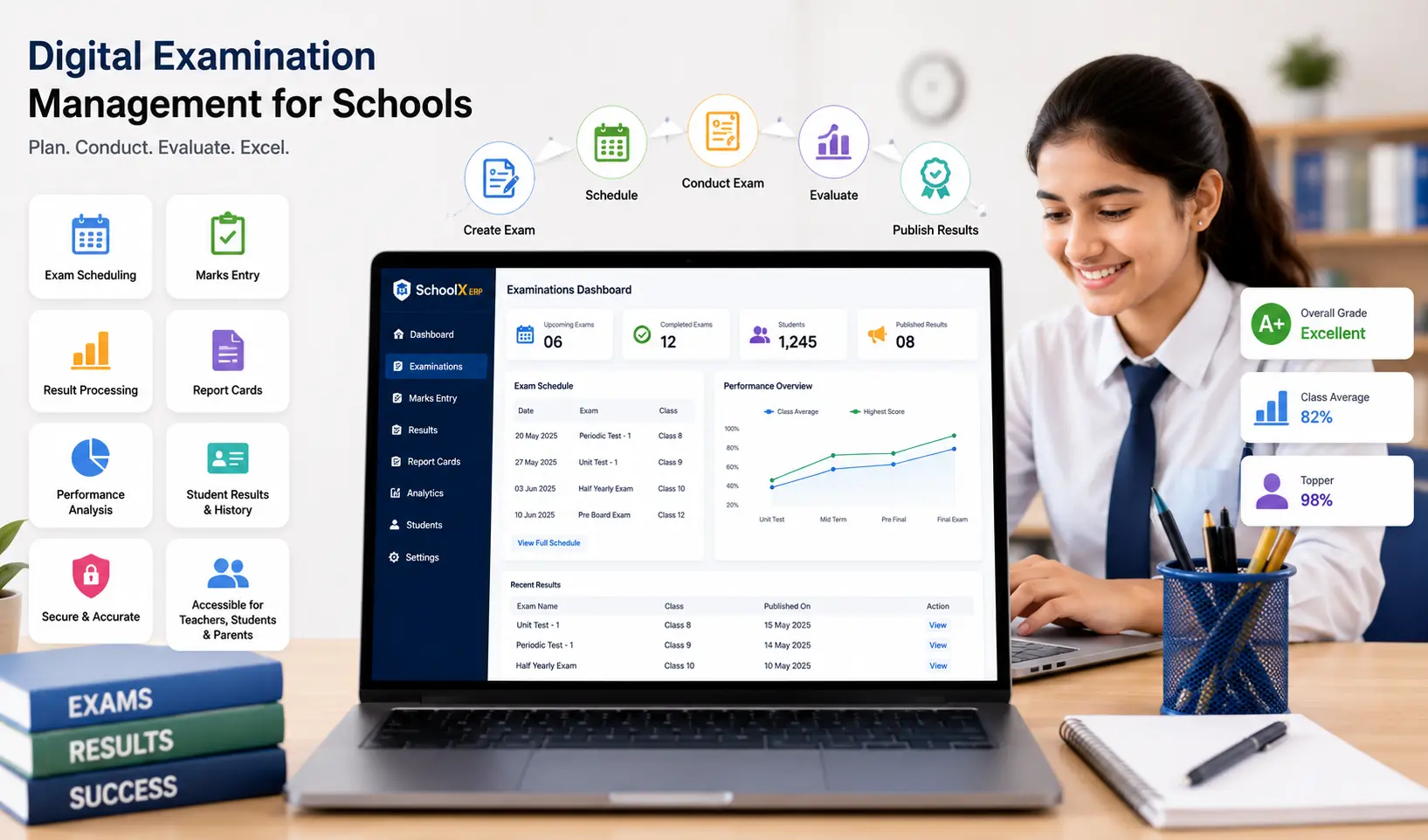
- Key Features: Examination planning, scheduling, subject & class management, digital marks entry, grade management, result processing, report card generation, performance analysis, and parent access.
- Benefits: Reduced repetitive data entry, faster result processing, organized exam records, easier reporting, and improved access for teachers, students, and parents.
- Solution: SchoolX ERP integrates examination management with student records, academics, attendance, homework, and performance tracking in one connected platform.
Table of Contents
- What Is School Examination Software?
- Why Do Schools Need Digital Examination Management?
- Key Features of School Examination Software
- Benefits of School Examination Software
- How Digital Exam Management Works
- How to Choose the Right School Examination Software
- School Examination Software and School ERP
- How SchoolX ERP Supports Examination Management
- Best Practices for Digital Examination Management
- Frequently Asked Questions (FAQs)
- Conclusion
Examinations are one of the most important academic activities in a school. From creating examination schedules and assigning subjects to entering marks, preparing results, and generating report cards, the process involves teachers, administrators, students, and parents.
When these activities are handled through registers, spreadsheets, and separate files, examination management can become time-consuming. Teachers may have to maintain marks manually, administrators may spend hours preparing results, and schools may struggle to keep examination records organized.
School examination software provides a digital way to manage these activities through a centralized system. It can help schools organize exams, manage marks and grades, prepare results, and connect examination information with student academic records.
For schools already using or planning to adopt a school ERP, examination management can become part of a broader academic workflow rather than a completely separate process.
What Is School Examination Software?
School examination software is a digital system that helps schools plan, manage, process, and report examination-related activities.
Depending on the software, schools can use it for examination scheduling, subject management, marks entry, grading, result processing, report cards, and academic performance analysis.
Instead of maintaining separate spreadsheets for every examination, teachers and administrators can manage examination information through a centralized platform. A school examination management system may include:
- Examination planning
- Exam scheduling
- Class and section management
- Subject allocation
- Marks entry
- Grade management
- Result processing
- Report card generation
- Student performance analysis
- Examination reports
- Parent access to results
The objective is not simply to move marks from paper to a computer. A good examination management system should make the entire process more organized and reduce unnecessary administrative work.
Why Do Schools Need Digital Examination Management?
Managing examinations involves many small tasks that have to be completed accurately and on time. Teachers need to enter marks, administrators need to verify results, and schools need to prepare report cards and communicate results to parents.
When these tasks are handled manually, errors can occur during data entry, calculations, or report preparation.
A digital system can provide a more structured workflow. For example, once examination information is entered into the system, it can potentially be used for result generation, report cards, performance analysis, and academic reports without repeatedly entering the same information.
This can help schools:
- Reduce repetitive data entry
- Organize examination records
- Simplify marks management
- Reduce calculation-related errors
- Generate results faster
- Track student performance
- Improve access to examination information
Key Features of School Examination Software
The exact features vary between platforms, but a practical school examination management system should cover the major stages of the examination process.
1. Examination Planning
Schools conduct different types of assessments throughout the academic year, including periodic tests, term examinations, pre-board examinations, and final examinations.
Examination software can help administrators create and organize different examination types and associate them with the relevant academic session, classes, sections, and subjects. This provides a structured foundation for the rest of the examination process.
2. Exam Scheduling
Creating an examination timetable can become complicated when many classes and subjects are involved.
A digital exam management system can help schools organize examination dates, subjects, timings, and classes in one place. Teachers and students can then access the relevant examination schedule without depending entirely on printed notices.
3. Subject and Class Management
Examinations need to be associated with the correct subjects, classes, and sections. School examination software can use existing academic and student information to organize examinations according to the school's structure.
This can reduce repetitive setup work and make examination records easier to manage.
4. Digital Marks Entry
Marks entry is one of the most important parts of examination management. Teachers can enter marks digitally for the students and subjects assigned to them.
A structured marks-entry interface can make it easier to identify missing marks and reduce the need to maintain separate spreadsheets. Schools should still have appropriate verification procedures because software can organize data, but it cannot replace human review of incorrectly entered marks.
5. Grade Management
Different schools may use different grading systems depending on their academic requirements.
Examination software can support the school's defined marks and grading structure and use it during result processing. This can make grade calculation more consistent across classes and subjects.
6. Result Processing
Once marks are entered and verified, schools need to calculate results. A school result management software system can process marks according to configured rules and generate relevant result information.
This can save administrative time compared with manually calculating totals, percentages, grades, or other result components.
7. Report Card Management
Report cards communicate a student's academic performance to students and parents. Digital report card management can use examination data already stored in the system to prepare student reports.
Depending on the platform, schools may be able to include marks, grades, subjects, attendance, remarks, and other academic information. This avoids repeatedly entering the same information into separate documents.
8. Student Performance Analysis
Examination results can provide valuable information beyond the report card. A school can analyze performance by student, subject, class, section, or examination.
When examination software is integrated with school performance tracking software, teachers and administrators can monitor changes in performance over time. For example, a student consistently scoring lower in one subject may require additional support.
9. Examination Reports
Administrators may need different reports before, during, and after examinations. These can include marks reports, result summaries, subject-wise performance, class performance, and other academic reports.
Having examination information stored digitally in a school database makes it easier to retrieve the data required for these reports.
10. Parent Access
Parents are interested in understanding their child's academic progress. Depending on the platform, examination results can be made available to parents through a parent portal or mobile application.
This allows parents to access results without requiring the school to distribute every piece of information manually through separate communication channels.
Benefits of School Examination Software
Benefits for Teachers
Teachers can spend less time maintaining separate marks registers and spreadsheets. Digital marks entry, result processing, and access to student records can simplify routine examination tasks. Teachers can also review previous results when assessing student progress.
Benefits for Students
Students can access examination schedules, results, grades, and other academic information through the school's digital platform. Having examination information available in one place can make it easier for students to understand their academic progress.
Benefits for Parents
Parents can gain faster access to examination results and academic reports when the school provides digital access through a school mobile app or parent portal. This can improve transparency and reduce dependence on printed report cards or manual communication.
Benefits for School Administrators
Administrators are responsible for coordinating many parts of the examination process. A centralized system can help them manage schedules, marks, results, reports, and examination records from one platform. It can also reduce the amount of manual work involved in compiling information from different teachers and classes.
How Digital Exam Management Works
A typical digital examination workflow can look like this:
Create Examination → Add Classes & Subjects → Schedule Exams → Enter Marks → Verify Marks → Process Results → Generate Reports → Share Results
The exact process depends on the software and the school's requirements. The important advantage is that information can move through a connected workflow rather than being repeatedly transferred between paper records and spreadsheets.
For example, student information already stored in the school database can be used when creating examination records. After marks are entered, the same information can contribute to result generation and performance reports.
How to Choose the Right School Examination Software
Schools should evaluate examination software based on how well it fits their existing academic processes. For a detailed evaluation framework, see our guide on how to choose the right school ERP software.
Ease of Use
Teachers should be able to enter marks and access examination information without complicated procedures. If the system takes too long to learn, adoption can become difficult during busy examination periods.
Flexible Examination Configuration
Schools may have different examination structures, grading systems, subjects, and assessment patterns. The software should provide enough flexibility to accommodate the school's actual requirements.
Integration With Student and Academic Records
Examination management becomes more useful when it is connected with existing student and academic information. This reduces repeated data entry and makes it easier to maintain a continuous academic record.
Reporting
Schools should check whether the system can generate the reports they actually need. Useful reports are generally more important than simply having a large number of report templates.
Security and Permissions
Examination results are sensitive academic information. Schools should evaluate user permissions and access controls to ensure that teachers, administrators, students, and parents can only access information appropriate to their roles.
Mobile Accessibility
Parents and students may want to access examination schedules and results from smartphones. A mobile-friendly platform or integrated school mobile app can make this information easier to access. You can also compare which school ERP apps work best on Android and iOS.
School Examination Software and School ERP
Examination management is closely connected with other academic activities. When examination software operates as part of a broader school ERP, information can flow between student management, academics, attendance, homework, examinations, and performance tracking.
For example, examination results can become part of a student's academic record. Performance information can then be used in school MIS reports and academic analysis. (See our overview of the top 30 essential modules of a modern school ERP system.)
This connected approach can be more useful than maintaining a separate examination application that does not share information with the rest of the school system.
How SchoolX ERP Supports Examination Management
SchoolX ERP brings examination management into a broader school management environment. Examination-related information can work alongside student records, academic management, attendance, performance tracking, and other school activities.
For teachers, this can provide a more organized way to manage examination information and student results. For administrators, centralized examination records can simplify reporting and result management.
When examination data is connected with student management software and school MIS software, schools can use the same information for academic reports and performance analysis.
For principals and management, this means examination data contributes to school-wide insights rather than remaining in isolated spreadsheets.
The benefit of an integrated system is that schools can reduce unnecessary duplication and avoid maintaining completely separate records for related academic activities.
Best Practices for Digital Examination Management
Software can simplify examination administration, but schools still need clear processes.
Verify Marks Before Publishing Results. Teachers or authorized staff should review marks before results are finalized. A digital system can process the information, but incorrect input will still produce incorrect results.
Maintain Consistent Grading Rules. Schools should clearly define grading and result rules so that they are applied consistently.
Control Access to Results. Examination information should only be available to authorized users. Schools should define appropriate permissions for teachers, administrators, students, and parents.
Keep Historical Records. Previous examination results can help teachers and administrators understand student progress. Schools should maintain appropriate academic history rather than treating every examination as an isolated event.
Train Teachers and Staff. Teachers should understand how to enter, verify, and submit marks before the examination process begins. Short training and clear procedures can prevent avoidable problems during result preparation.
Frequently Asked Questions (FAQs)
School examination software is a digital platform that helps schools manage examination schedules, subjects, marks, grades, results, report cards, and academic performance information.
An examination management system is software designed to organize and manage different stages of the examination process, from planning and scheduling to marks entry, result processing, and reporting.
Yes. Depending on the platform, examination software can use stored marks and grades to generate digital report cards and academic reports.
Yes. If the school provides parent access, examination results can be shared through a parent portal or mobile application.
Yes. Examination data can be used to monitor student performance across subjects, assessments, classes, and academic sessions.
Yes. Examination management can be integrated with student management, academic management, attendance, homework, performance tracking, and MIS reporting within a school ERP.
Conclusion
Examination management involves much more than entering marks. Schools need to plan examination schedules, manage subjects and classes, collect marks, verify results, calculate grades, prepare report cards, and communicate academic outcomes.
School examination software provides a structured digital approach to these activities. It can reduce repetitive administrative work, organize examination records, simplify marks and result management, and make academic information easier to access.
For teachers, digital examination management can reduce routine record-keeping. For students and parents, it can provide easier access to schedules and results through a school mobile app. For administrators, it can simplify examination coordination and reporting.
The most useful solution is not necessarily the one with the largest feature list. Schools should look for software that is easy to use, secure, flexible, and well integrated with student and academic records. For schools still relying on spreadsheets, our guide on migrating from Excel to school ERP can help with the transition.
When examination management is part of a broader school ERP, examination results can also contribute to student performance tracking, academic reporting, and school-level decision-making.
For schools looking to move away from manual examination records, a connected digital examination system can be a practical step toward more organized and efficient academic management.