
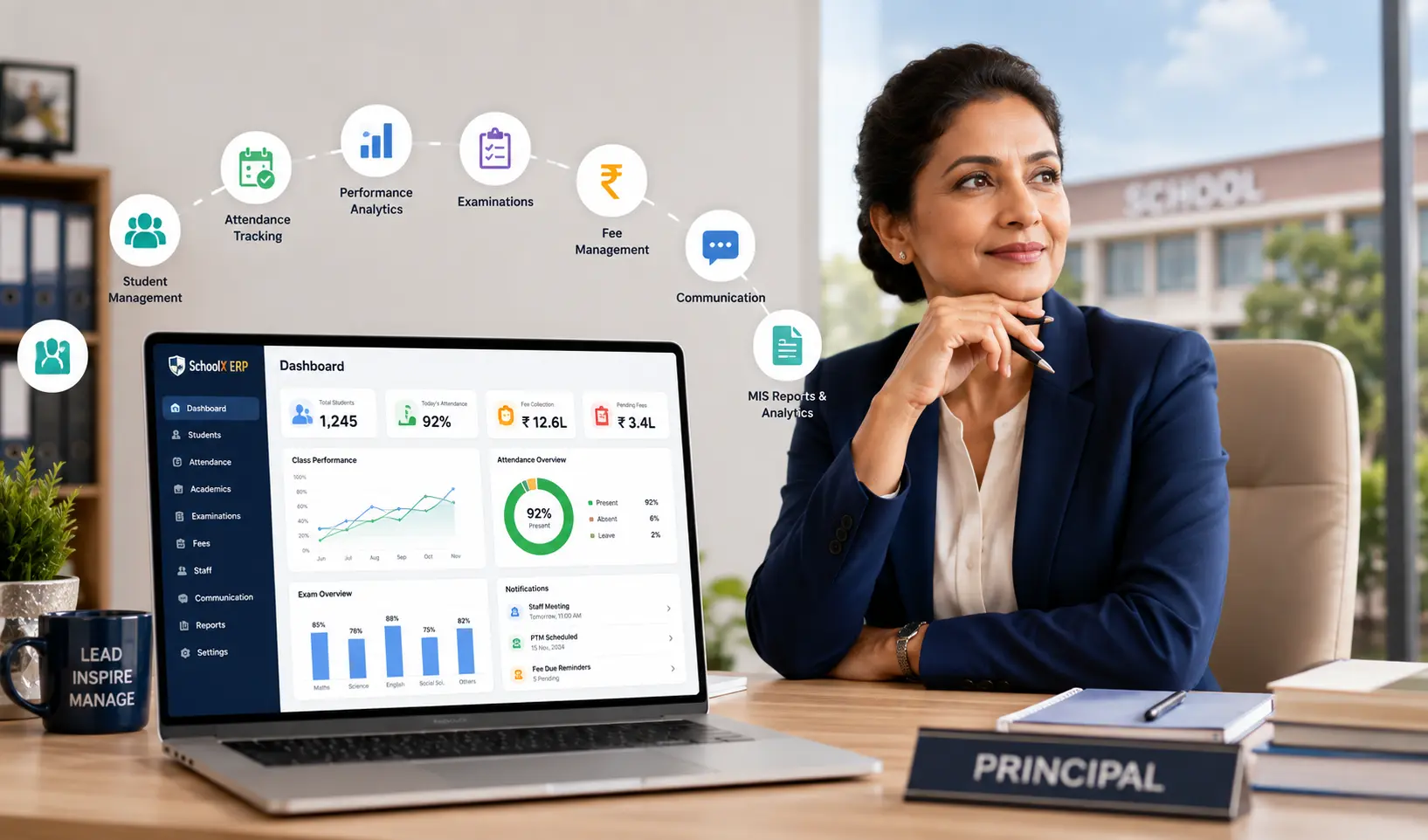
Best ERP for Principals: 10 Features Every School Principal Should Look For
Key Takeaways & Executive Summary
- Purpose: A school ERP for principals provides a centralized view of academic and administrative operations — replacing scattered registers, spreadsheets, and disconnected systems.
- 10 Key Features: Principal dashboard, student management, performance tracking, attendance monitoring, examination management, fee reports, staff management, communication, MIS reports, and mobile access.
- Choosing Wisely: Don't pick an ERP based on feature count alone — evaluate ease of use, reporting quality, integration, security, and scalability.
- Solution: SchoolX ERP connects academic and administrative modules in one platform, giving principals dashboards, analytics, and MIS reporting for better decision-making.
Table of Contents
- What Is a School ERP for Principals?
- Why Do Principals Need School ERP Software?
- 10 Features Every School Principal Should Look For
- What Should a Principal Check Before Choosing an ERP?
- School ERP vs Traditional School Administration
- How SchoolX ERP Can Help Principals
- Frequently Asked Questions (FAQs)
- Conclusion
Running a school involves much more than managing classrooms and academic activities. Principals have to keep track of student performance, attendance, fees, examinations, teachers, parent communication, and day-to-day administration. As the amount of information grows, relying on registers, spreadsheets, and separate software can make it difficult to get a clear picture of what is happening across the school.
A school ERP for principals brings these activities into a centralized system. Instead of depending on different departments to prepare separate reports, principals can access important information through dashboards, reports, and connected modules.
But choosing an ERP should not be based on the number of features a software company lists on its website. The better question is: Does the ERP help a principal understand the school and make decisions more efficiently?
Here are 10 features principals should look for when choosing school ERP software.
What Is a School ERP for Principals?
A school ERP (Enterprise Resource Planning) system is software that connects different academic and administrative activities of a school through one platform.
For principals, the most useful part of an ERP is the ability to get a consolidated view of school operations. Depending on the platform, a principal may be able to access:
- Student records
- Attendance information
- Examination results
- Academic performance
- Fee collection reports
- Teacher and staff information
- Homework and assignments
- Communication records
- School MIS reports
- Management dashboards
Instead of managing these activities separately, an integrated ERP allows information from different departments to work together.
Why Do Principals Need School ERP Software?
A principal may not need to enter every attendance record or examination mark personally, but they still need access to the information generated by these activities.
For example, if examination performance in a particular class has dropped, a principal may want to look at attendance, subject-wise results, and other academic information before deciding what action to take.
Similarly, fee collection reports can help management understand outstanding payments, while staff information can help administrators monitor workforce-related activities.
A school ERP for administrators therefore acts less like another administrative task and more like a central source of information.
10 Features Every School Principal Should Look For
1. Principal Dashboard
A useful school ERP dashboard should give principals a quick overview of important school activities.
Instead of opening several modules individually, the dashboard can bring key indicators into one place, such as:
- Total students
- Attendance trends
- Examination performance
- Fee collection
- Outstanding fees
- Academic progress
- Staff information
- Important notifications
The dashboard should focus on information that actually helps with decision-making. A screen filled with unnecessary charts may look impressive but provide little practical value.
2. Student Information Management
Student information is at the center of school operations.
A good ERP should provide a centralized student management system where authorized users can access student profiles, class and section information, parent details, academic history, and other relevant records.
For principals, this eliminates the need to depend on multiple files when they need information about a student or group of students. It also creates a common data source for other modules such as attendance, examinations, homework, and performance tracking.
3. Academic Performance Tracking
Academic performance is one of the most important areas a principal needs to monitor.
A school ERP can help principals review examination results, subject-wise performance, grades, and student progress over time. Instead of looking only at individual marks, principals can use student performance analytics to identify broader patterns.
For example, if a large number of students are struggling with a particular subject, the school may need to investigate the issue rather than treating each student's result separately. This is where integrating school performance tracking software with the ERP becomes useful.
4. Attendance Monitoring
Attendance provides another important indicator of student participation.
Principals should be able to view attendance at different levels — individual students, classes, sections, or the entire school. A good system should make it easy to identify patterns such as consistently low attendance or unusual changes. Schools using RFID-based attendance systems can further automate this process.
When attendance data is connected with academic performance, the school may also be able to identify students who are missing classes and subsequently falling behind academically.
The objective is not to create more attendance reports. It is to make attendance information useful when decisions need to be made.
5. Examination and Result Management
Examinations involve scheduling, marks entry, grading, result preparation, and reporting.
A school examination software module can help organize these activities digitally and connect results with student records. For principals, this means examination information can be reviewed without manually collecting result sheets from different teachers or departments.
Useful reports can include class averages, subject performance, student results, grades, and comparisons across examinations. This makes examination data more useful for academic planning rather than simply producing report cards.
6. Fee and Financial Reports
Financial management is another area where principals and school management need clear information.
A school ERP can provide reports on fee collection, pending payments, payment history, and other financial information. A principal may not be responsible for collecting individual fees, but they may need to know whether collection is progressing as expected.
Connecting school fee management software with the broader ERP can provide management with a clearer view of financial operations. Schools looking to improve collections can also explore strategies to reduce fee collection delays. It can also reduce the need for separate spreadsheets maintained by administrative staff.
7. Teacher and Staff Management
Teachers are central to school operations, so an ERP should also provide tools for managing staff information.
Depending on the system, this may include teacher profiles, departments, assigned classes, attendance, timetables, and other staff-related information. For principals, centralized staff information can make it easier to understand teaching responsibilities and manage administrative requirements.
A broader school HR and payroll software module can also handle additional staff processes when required.
8. Parent and School Communication
Communication between schools and parents can involve announcements, academic updates, homework, attendance notifications, and other information.
A school communication software module can bring these interactions into a centralized platform. For principals, this can provide greater visibility into how important information is being communicated to parents. For parents, it provides a more consistent way to receive information from the school instead of depending on multiple informal channels.
The goal should be to make communication more organized without overwhelming parents with unnecessary notifications.
9. MIS Reports and Analytics
Principals need more than raw data. They need information that can help them understand what is happening.
This is where school MIS software becomes particularly valuable. MIS reports can combine information from different parts of the school to provide useful management insights. For example, a principal might review:
- Attendance trends
- Academic performance
- Examination results
- Fee collection
- Student enrollment
- Class performance
- Staff information
A good school management information system should make these reports easy to access and understand. The key is relevance. A principal does not need hundreds of reports if only a small number are useful for actual decision-making.
10. Mobile Access
School management does not always happen from a desktop computer.
Principals may need to check an important report while away from their office or receive a notification outside regular working hours. A mobile-friendly ERP or dedicated school mobile app can provide access to relevant information from smartphones. Schools can also explore the best school ERP apps for Android and iOS.
Mobile access is particularly useful for dashboards, notifications, attendance summaries, reports, and communication. However, mobile access should complement the main ERP rather than simply reproduce every desktop feature on a smaller screen.
What Should a Principal Check Before Choosing an ERP?
Feature lists can make different ERP platforms look almost identical. The differences often become apparent when you actually evaluate how the system works. For a detailed guide, see our article on how to choose the right school ERP software.
Ease of Use
Teachers and administrative staff will be using the system every day. If basic tasks are complicated, adoption can become a problem. Ask whether teachers can quickly enter attendance, update marks, assign homework, and access student information.
Reporting Quality
Don't judge an ERP by the number of reports it claims to provide. Check whether the reports answer real management questions and whether administrators can filter information by class, section, subject, date, or other relevant criteria.
Integration Between Modules
The biggest advantage of an ERP is that different modules can work together. Student information should connect with attendance. Attendance can provide context for performance. Examination results should connect with student records. Fees should be available to authorized administrative users.
If every module operates as a completely separate system, much of the value of having an ERP is lost.
Security and Access Control
Not every user should have access to every piece of information. A principal, teacher, accountant, student, and parent have different responsibilities and therefore require different access permissions. Before selecting a system, schools should understand how user roles, authentication, permissions, backups, and data security are handled.
Scalability
The software should be able to support the school's future requirements. A system that works for a small school today may become difficult to manage if the school adds more students, teachers, classes, or branches. Schools considering deployment options should also compare cloud vs on-premise school ERP solutions. Scalability should be considered before implementation rather than after the school has outgrown the system.
School ERP vs Traditional School Administration
Traditional administration often involves paper registers, Excel spreadsheets, printed reports, and communication through multiple channels. These methods aren't necessarily useless, but they become harder to manage as the school grows. Schools still using spreadsheets may want to learn about migrating from Excel to a school ERP.
| Traditional Administration | School ERP |
|---|---|
| Paper and spreadsheet records | Centralized digital records |
| Separate departmental data | Connected modules |
| Manual report preparation | Faster digital reporting |
| Limited management visibility | Dashboards and analytics |
| Repeated data entry | Shared student and school data |
| Multiple communication channels | Centralized communication |
| Difficult historical analysis | Easier performance tracking |
The purpose of an ERP isn't to remove people from the process. It is to reduce unnecessary administrative work and make information easier to access.
How SchoolX ERP Can Help Principals
SchoolX ERP is designed to connect academic and administrative activities within a centralized school management software platform.
For principals, this means information from areas such as student management, attendance, examinations, academic performance, fees, communication, and other school operations can be managed through a connected environment.
The combination of school ERP, MIS reporting, dashboards, and analytics can help principals get a broader view of school activities without relying entirely on manually prepared reports.
For example, academic performance information can be reviewed alongside attendance and examination data, while management reports can provide a broader overview of school operations.
The exact value of an ERP, however, depends on how well it fits the school's existing processes and how consistently staff use it.
Frequently Asked Questions (FAQs)
The best ERP is not necessarily the one with the most features. Principals should look for software that provides reliable dashboards, academic and attendance tracking, examination and fee reports, MIS analytics, communication tools, security, and integration between modules. You can also review the top school ERP software options in India.
A school ERP gives principals centralized access to important academic and administrative information. This can reduce dependence on manually prepared reports and help them make decisions using current school data.
Important features include principal dashboards, student management, academic performance tracking, attendance monitoring, examination management, fee reports, staff management, communication, MIS analytics, and mobile access.
Yes, but the required features may differ. Smaller schools should avoid paying for unnecessary complexity and choose a system that can support their current needs while allowing room for future growth.
Yes. MIS mainly focuses on information, reporting, and analysis, while ERP generally manages a broader range of academic and administrative processes. Modern school ERP platforms can include MIS capabilities within the same system.
Conclusion
A principal needs more than software that stores school information. The real value of a school ERP for principals comes from connecting that information and making it useful for everyday decisions.
Features such as dashboards, student management, performance tracking, attendance monitoring, examination management, fee reports, staff management, communication, MIS analytics, and mobile access can help principals gain a clearer view of school operations.
However, schools should not choose an ERP based purely on a long feature list. Ease of use, integration, reporting quality, security, and scalability are just as important.
For a principal evaluating different school management software options, the best system is ultimately the one that reduces unnecessary administrative effort while providing reliable information for better academic and operational decisions.
SchoolX ERP brings these academic and administrative functions together in a centralized platform, helping schools move from disconnected records toward a more organized digital management system.