
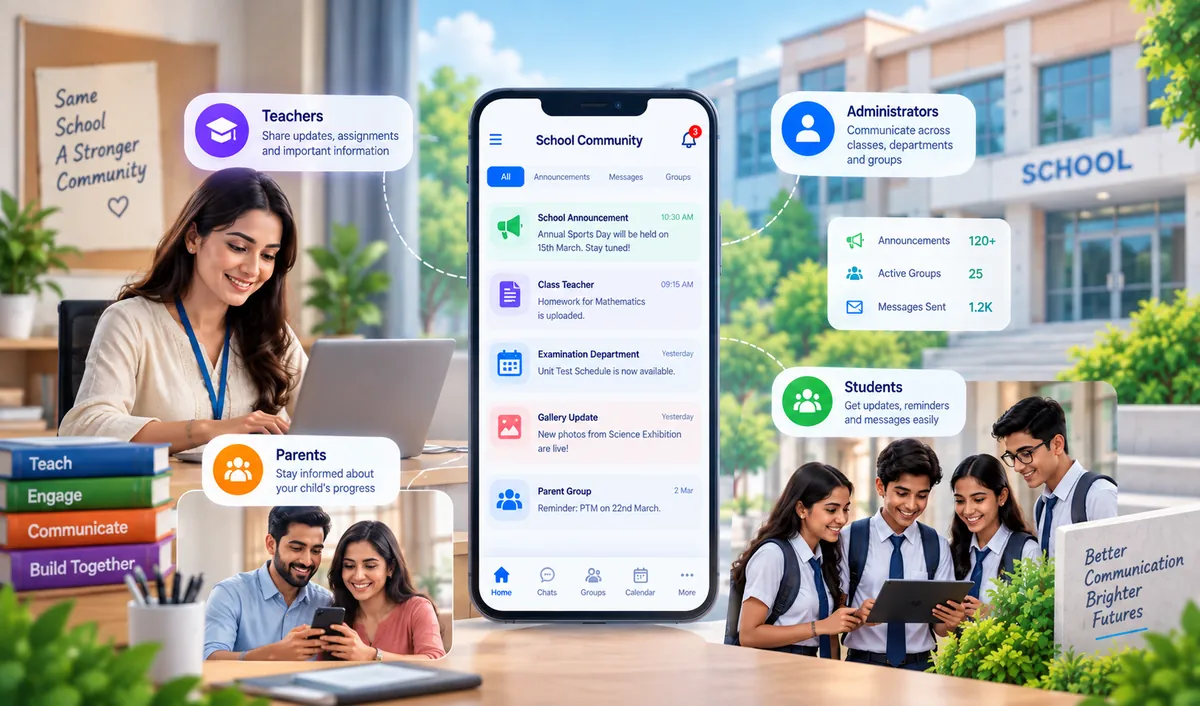
Group Communication ERP Software for Schools: A Complete Guide
Key Takeaways & Executive Summary
- Definition: Group communication ERP software is the part of a school management system responsible for sending messages to defined groups of people at once — based on class, section, department, role, or custom-defined groups.
- Core Problem: Schools rarely need to send one message to one person. They need to reach entire classes, departments, or roles simultaneously — and doing this manually doesn't scale.
- Key Features: Predefined group structures, custom group creation, multi-channel broadcasting (SMS, email, WhatsApp, push notifications), delivery tracking, role-based sending permissions, and scheduled messages.
- Solution: SchoolX ERP's communication module maintains group structures automatically based on your school's actual data — class, section, department, and role — with multi-channel delivery and role-based permissions built in.
Table of Contents
A school rarely needs to send one message to one person. It needs to tell every parent in Class 8 about a schedule change, notify the entire teaching staff about a policy update, and separately inform the accounts department about a new reporting deadline — often all within the same hour. Doing this one phone call or one individual message at a time simply doesn't scale past a handful of people.
Group communication ERP software solves this specific problem: sending the right message to the right group — a class, a section, a department, a role — without manually compiling contact lists or repeating the same message dozens of times. This guide focuses specifically on that group/broadcast layer of school communication, not general one-to-one messaging. (For a broader look at what a full school management platform covers, see our guide on the top 30 essential modules of a modern school ERP system.)
What Is Group Communication ERP Software?
Group communication ERP software is the part of a school management system responsible for sending messages to defined groups of people at once — rather than individuals — based on shared criteria like class, section, department, role, or custom-defined groups. It works alongside other modules like student management and HR & payroll to pull group data directly from existing school records.
Instead of a teacher or administrator manually selecting 40 individual parent contacts every time a class-wide announcement goes out, the system already knows who belongs to "Class 8-B" or "Science Department Staff," and sends the message to that entire group in one action.
Who Actually Needs Group-Based Messaging?
Group communication isn't just a parent-facing feature — it serves several distinct audiences within a school, each with different needs:
- Class and section-wise parent groups — announcements, homework reminders, or schedule changes relevant to one specific class, without notifying the entire school.
- Staff department groups — internal updates relevant to specific departments (administration, accounts, teaching staff for a particular grade level) rather than blasting every staff member with department-specific information.
- Role-based groups — messages relevant to a specific role across the school, such as all class teachers, all transport staff, or all accounts personnel.
- Custom-defined groups — ad-hoc groups a school might create for a specific event or committee, such as parents of students attending an annual trip, or a temporary exam-duty staff group.
Why One-to-One Messaging Doesn't Scale
Schools that lack proper group messaging tools tend to run into the same problems as they grow:
- Manual list compilation. Without predefined groups, every broadcast requires manually pulling together the right contact list — a slow, error-prone process, especially when class rosters change mid-year.
- Inconsistent reach. Relying on informal channels like personal WhatsApp groups often means some parents get left out — a new admission, a parent who changed their number, or someone who left an informal group by accident.
- No delivery accountability. When messages go out through scattered informal channels, there's no reliable way to confirm who actually received a given announcement, which becomes a real problem if a parent later claims they were never informed.
- Staff communication gets buried. Internal announcements sent to the entire staff list, regardless of relevance, train staff to skim or ignore messages — reducing the effectiveness of communication that actually matters to them.
Key Features to Look for in Group Communication ERP Software
Predefined Group Structures
The system should automatically maintain groups based on existing school data — class, section, department, role — rather than requiring manual list-building for every message.
Custom Group Creation
Beyond automatic groups, administrators should be able to create ad-hoc groups for specific purposes — a school trip, an event committee, a temporary task force — without IT involvement.
Multi-Channel Group Broadcasting
Messages should reach groups through multiple channels — SMS, email, app push notifications, WhatsApp — rather than being limited to just one, since different parents and staff prefer different channels.
Delivery and Read Tracking
For each group message sent, the system should show delivery status and, where possible, read confirmation — giving administrators a reliable record of who was actually reached. This kind of accountability is one of the key factors to evaluate when choosing the right school ERP software.
Role-Based Sending Permissions
Not every staff member should be able to broadcast to every group. A class teacher might send to their own class's parents; only administrators should be able to message the entire school.
Scheduled and Recurring Group Messages
Recurring announcements — weekly newsletters, monthly fee reminders to specific groups — should be schedulable in advance rather than requiring manual sending every time.
Group Communication vs. Individual Messaging: When to Use Each
| Scenario | Better Suited To |
|---|---|
| Class-wide schedule change | Group communication |
| Individual student's attendance concern | One-to-one messaging |
| School-wide holiday announcement | Group communication (entire school group) |
| Parent asking a specific question about their child | One-to-one messaging |
| Department policy update | Group communication (role/department-based) |
| Confidential HR matter | One-to-one messaging |
The two aren't competing features — a well-designed school MIS should support both, using group communication for anything relevant to a defined set of people, and individual messaging for anything personal or one-off.
How SchoolX Handles Group Communication
SchoolX ERP's communication module maintains group structures automatically based on your school's actual data — class, section, department, and role — so administrators and teachers can broadcast to the right audience without manually building contact lists every time. Messages can go out via SMS, WhatsApp, email, and in-app push notification, with delivery tracking so you know a message actually reached its intended group.
Role-based sending permissions ensure a class teacher can message their own class's parents, while school-wide announcements remain restricted to authorized administrators — keeping group communication organized and accountable rather than open to everyone. For schools still managing staff information on spreadsheets, migrating to an ERP makes these role-based structures automatic.
Because group communication lives inside the same platform as attendance, fees, academics, and exam & report card management, group messages can be triggered automatically by real events — a class-wide fee due date, a section's exam schedule — rather than requiring someone to remember to send them manually.
For principals evaluating how group communication fits into a broader school management strategy, our guide on the best ERP for principals covers this and related decision points.
Frequently Asked Questions (FAQs)
Yes — group communication ERP software should let you target messages to any defined group, whether that's a single class, a section, a department, or the entire school, rather than forcing an all-or-nothing broadcast.
This depends on the permissions configured by the school, but most systems allow role-based restrictions — for example, a teacher might message their own class's parents, while creating entirely new custom groups may be restricted to administrators.
A well-built system should support multiple channels — SMS, email, app notifications, and WhatsApp — so groups can be reached through whichever channel they're most likely to see, not just one.
General announcements are often broadcast to everyone by default. Group communication specifically allows targeting a defined subset — a class, department, or custom group — so messages stay relevant to the people actually receiving them.
Yes, most group communication systems provide delivery status per recipient, and some also show read confirmation, giving administrators a reliable record of who was actually reached by a given message.
If your school currently coordinates group announcements through personal WhatsApp groups or manually compiled contact lists, our School Communication Software page covers the full communication platform, or you can book a free demo to see group messaging in action.